
HTC EVO 3D SlideShow S3D1.02 - Google Play
You'll be able to see results in few seconds.
Publisher Description
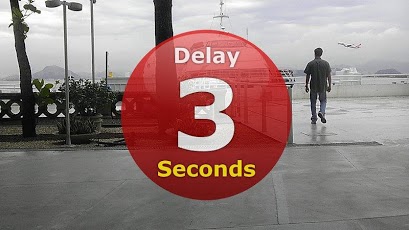
HTC Evo 3D - Stereoscopic Gallery SlideShow (JPS files only!).This APP will let you see all your 3D Pictures in a SlideShow, something impossible with the default viewer that only let´s you see the slideshow in 2D. Not anymore, with my Sideshow you can get the beauty of the 3D screen of your Evo 3D showing your pictures in real 3D (S3D Stereoscopic)..-===[ REQUIREMENTS ]===-.- Only works with HTC Evo 3D;- Only works with JPS files in SDCARD, you can setup your camera to take pictures in JPS instead of MPO format;.-===[ SETTING THE DELAY ]===-.- Touch the screen when in slideshow to change the delay between slideshow screens (from 3-8 seconds)..-=[ MORE FROM DEVELOPER ]=-.Click on my Name profile to view all my Android APPs available..-=[ CUSTOMMER SUPPORT ]=-.If you need any help with this APP or wish to contact me, send me an email. I try to reply emails daily, if not possible I´ll reply in no more than 48hs. I do not reply emails in weekends, emails are replied from Monday - Friday..-=[ ABOUT REFUNDS ]=-.Refunds are available for 15 minutes, if you wish to cancel the order do it during this time. If this is a free theme or APP you can cancel and try again several times. If it´s a paid application and you cancel it, the second time you order it no refund will be available..-=[ DOWNLOADS ARE NOT COMPLETING? ]=-.Please, sometimes the Android Market servers becomes really slow with so many requests, if this happen you can try another time. I have no control over this issue. Some patience is required when it happens..-=[ COMMENTS AND RATINGS ]=-.To help other customers, your comments and ratings are welcome and I apreciate it. Also, if you need any assistance, please contact me first before posting offensive comments. It´s better to have a help from a developer than avoid him and leaving negative public feedbacks..-=[ UPDATES ]=-.All my themes are updated on a regular base to improve the theme with new features like more icons, wallpapers, etc. Requests for new icons are welcome.
About HTC EVO 3D SlideShow S3D
The company that develops HTC EVO 3D SlideShow S3D is Sergio Andre Fagundes. The latest version released by its developer is 1.02.
To install HTC EVO 3D SlideShow S3D on your Android device, just click the green Continue To App button above to start the installation process. The app is listed on our website since 2011-10-15 and was downloaded 0 times. We have already checked if the download link is safe, however for your own protection we recommend that you scan the downloaded app with your antivirus. Your antivirus may detect the HTC EVO 3D SlideShow S3D as malware as malware if the download link to com.safdesign.slideshow3d is broken.
How to install HTC EVO 3D SlideShow S3D on your Android device:
- Click on the Continue To App button on our website. This will redirect you to Google Play.
- Once the HTC EVO 3D SlideShow S3D is shown in the Google Play listing of your Android device, you can start its download and installation. Tap on the Install button located below the search bar and to the right of the app icon.
- A pop-up window with the permissions required by HTC EVO 3D SlideShow S3D will be shown. Click on Accept to continue the process.
- HTC EVO 3D SlideShow S3D will be downloaded onto your device, displaying a progress. Once the download completes, the installation will start and you'll get a notification after the installation is finished.
Program Details
System requirements
Download information
Pricing
Version History
version 1.02
posted on 2011-10-15
Several fixes and updates
version 1.02
posted on 2011-10-15
Disclaimer
Official Google Play Link
We do not host HTC EVO 3D SlideShow S3D on our servers. We did not scan it for viruses, adware, spyware or other type of malware. This app is hosted by Google and passed their terms and conditions to be listed there. We recommend caution when installing it.
The Google Play link for HTC EVO 3D SlideShow S3D is provided to you by apps112.com without any warranties, representations or guarantees of any kind, so access it at your own risk.
If you have questions regarding this particular app contact the publisher directly. For questions about the functionalities of apps112.com contact us.
